Straion:AIコーディングエージェントを
制御する「組織の脳」
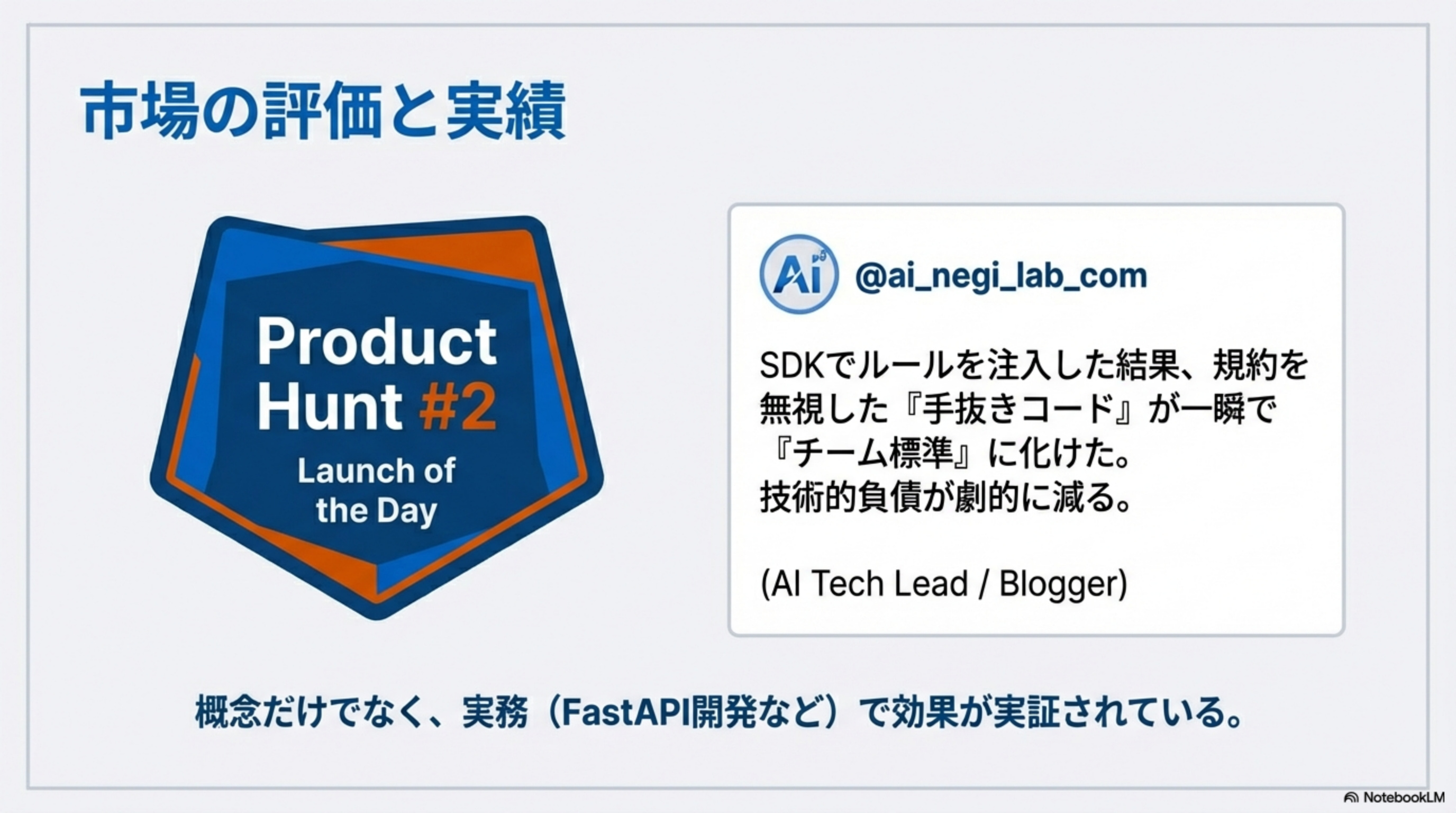
Claude Code・Cursor・GitHub Copilotに対し、組織のエンジニアリング・スタンダードを動的に注入するルール管理プラットフォーム。Product Hunt #2 Launch of the Day
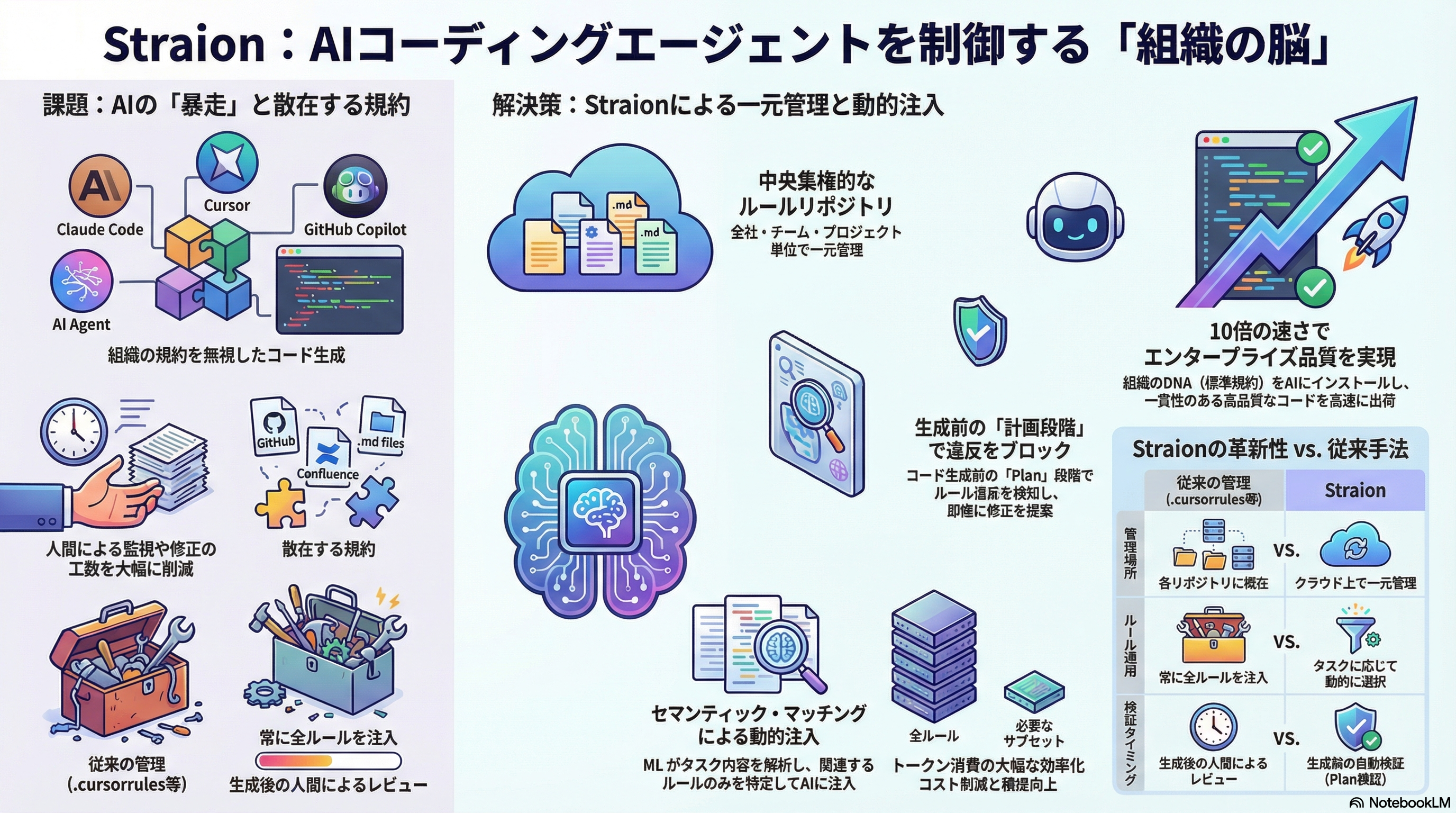
「チャット」から「エージェント」へ:新たなボトルネックの発生
AIエージェントの能力は向上したが、エンジニアは「監視役(Babysitting)」に追われている。コンテキストの修正、軌道修正、ルール違反のレビュー—本来のビルドに集中できない。
Chat Era (Legacy)
シンプルなQ&A。人間がコントロールを保持
Agent Era (Now)
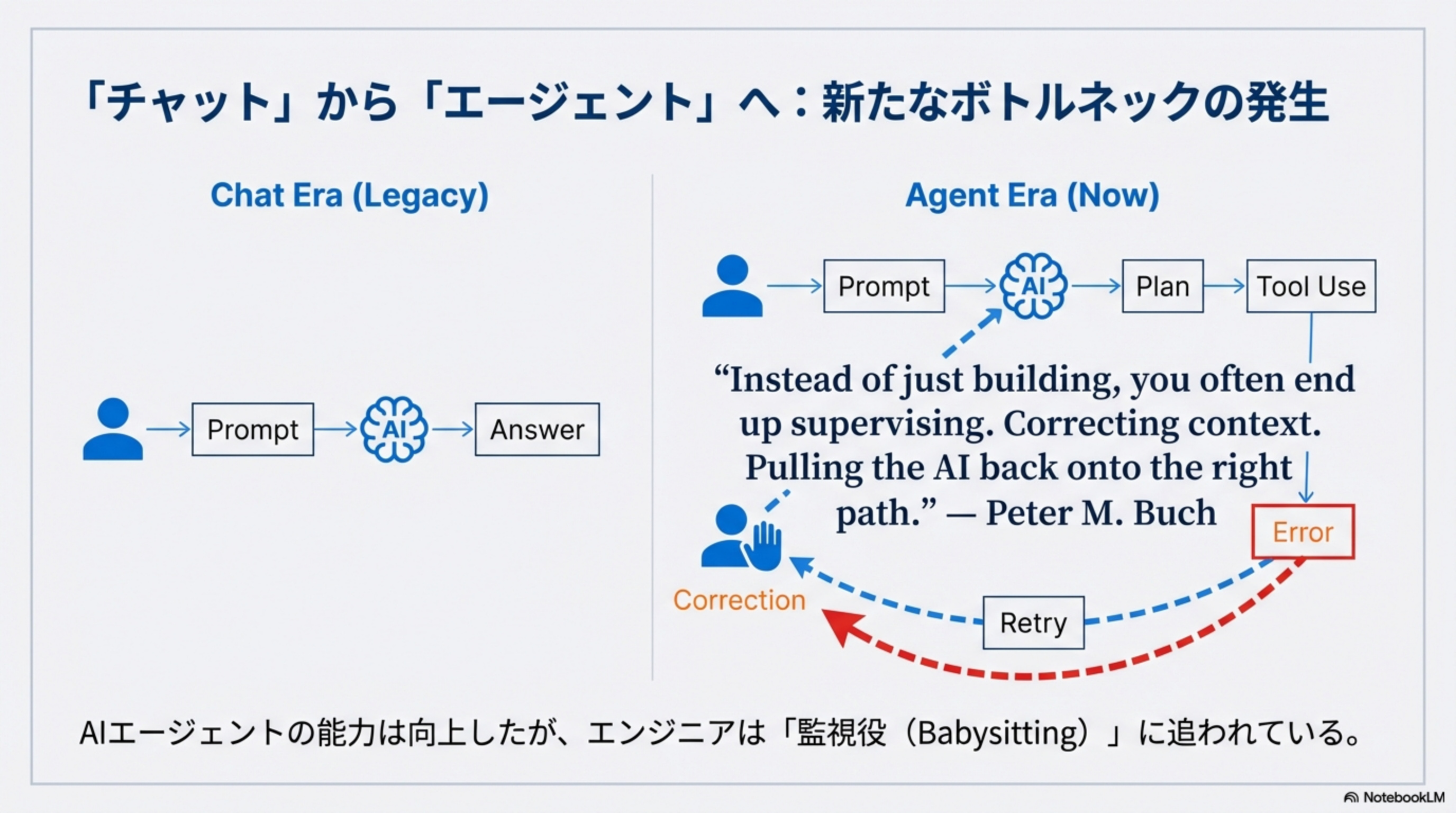
静的ファイル管理(Static Files)の限界
.cursorrules、AGENTS.md、CONTRIBUTING.md…組織のルールが散在し、AIエージェントが正しく読み込めない構造的な問題。
断片化(Fragmentation)
ルールがWikiや個人の頭の中、複数のリポジトリに散らばり、更新が同期されない
トークンの無駄(Token Waste)
すべてのルールをコンテキストウィンドウに流し込むと、AIが混乱し、コストも嵩む
静的(Static)
AIは「今のタスク」にどのルールが必要か判断できず、無関係なルールまで参照してしまう
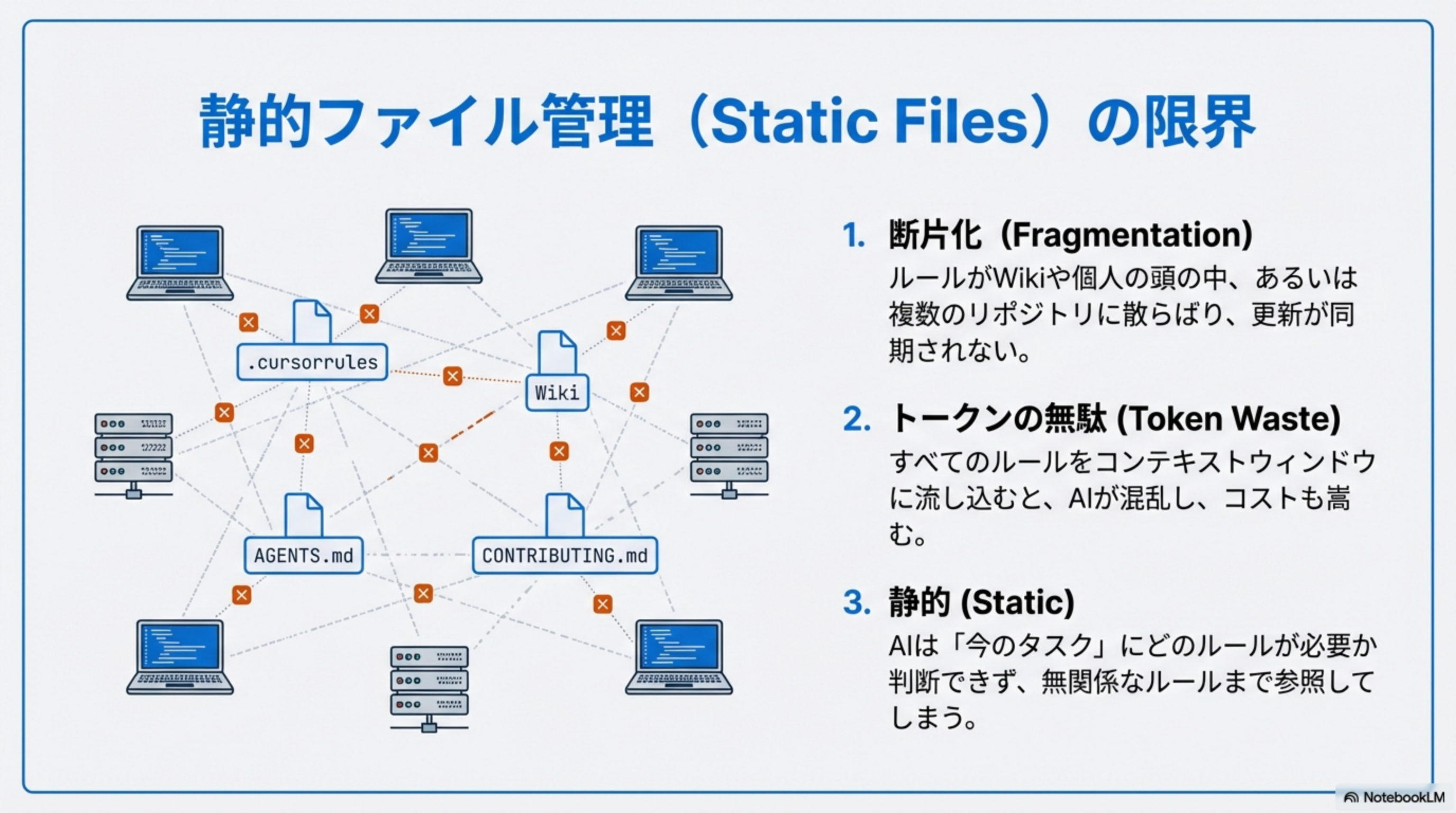
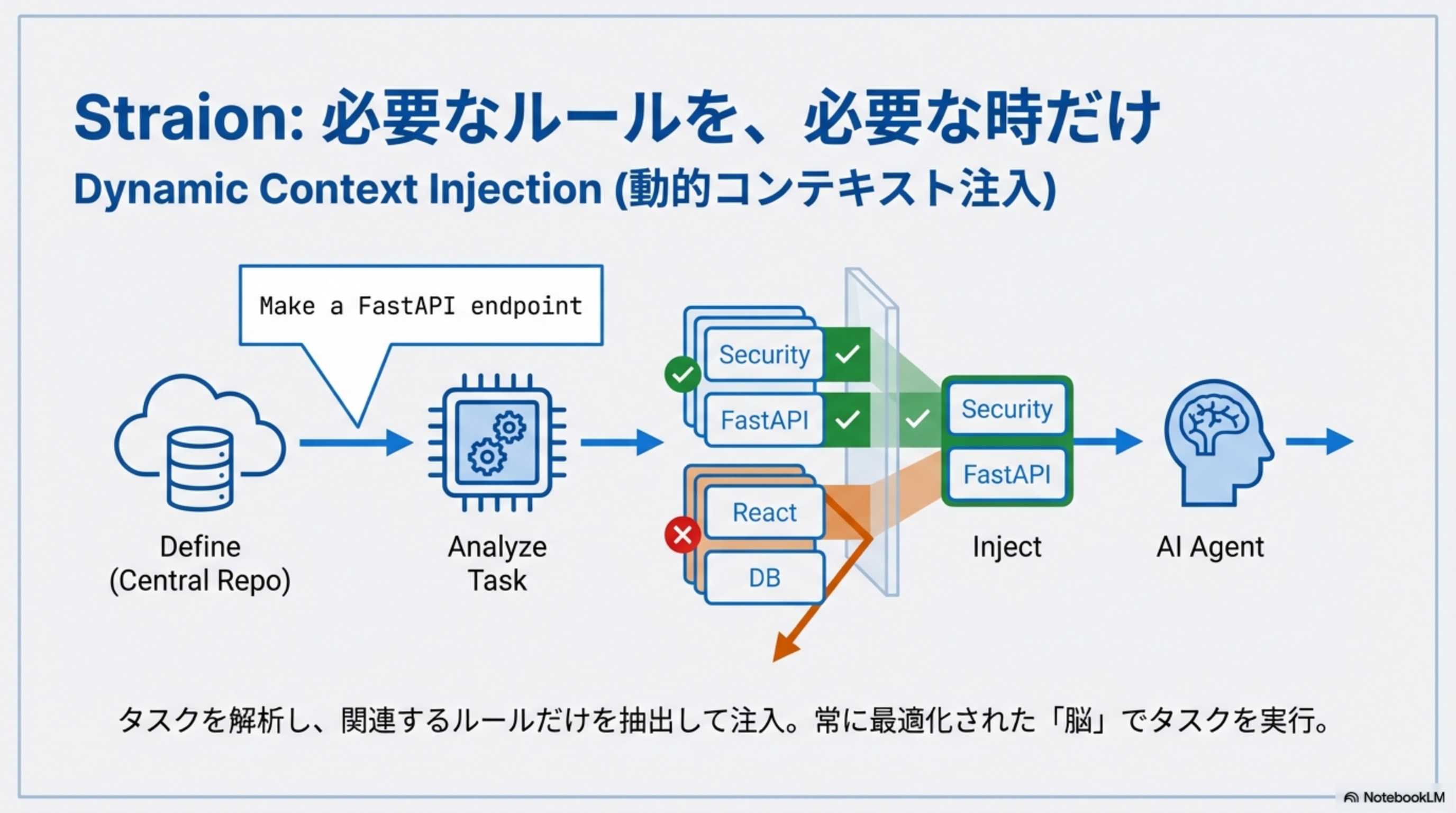
Straion:必要なルールを、必要な時だけ
Dynamic Context Injection(動的コンテキスト注入)—タスクを解析し、関連するルールだけを抽出して注入。常に最適化された「脳」でタスクを実行。
Define
Central Repo
Analyze Task
Semantic Match
Inject
必要なルールのみ
AI Agent
最適化実行
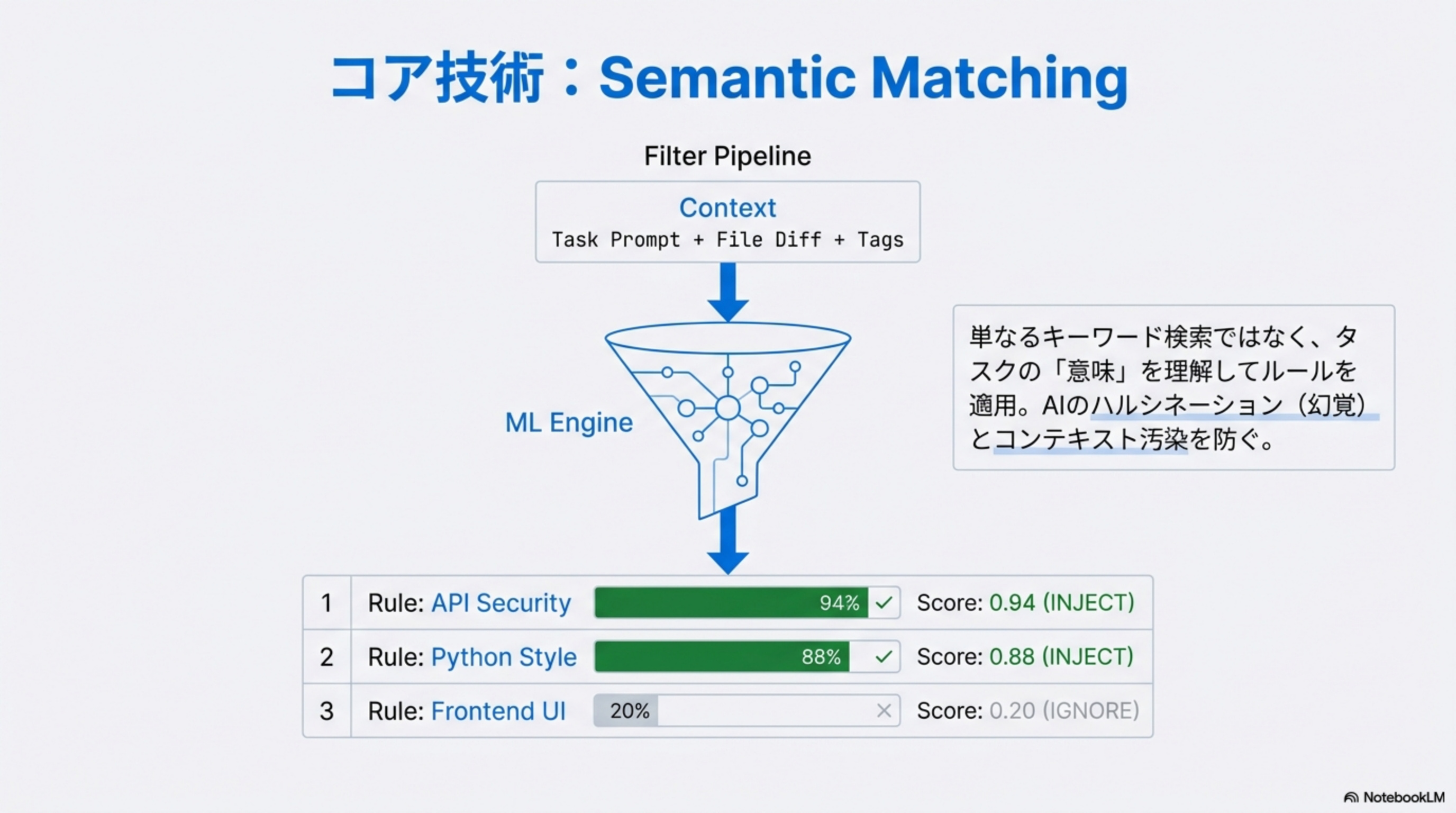
コア技術:Semantic Matching
単なるキーワード検索ではなく、タスクの「意味」を理解してルールを適用。MLエンジンがContext(Task Prompt + File Diff + Tags)を解析し、関連度スコアでINJECT/IGNOREを判定します。
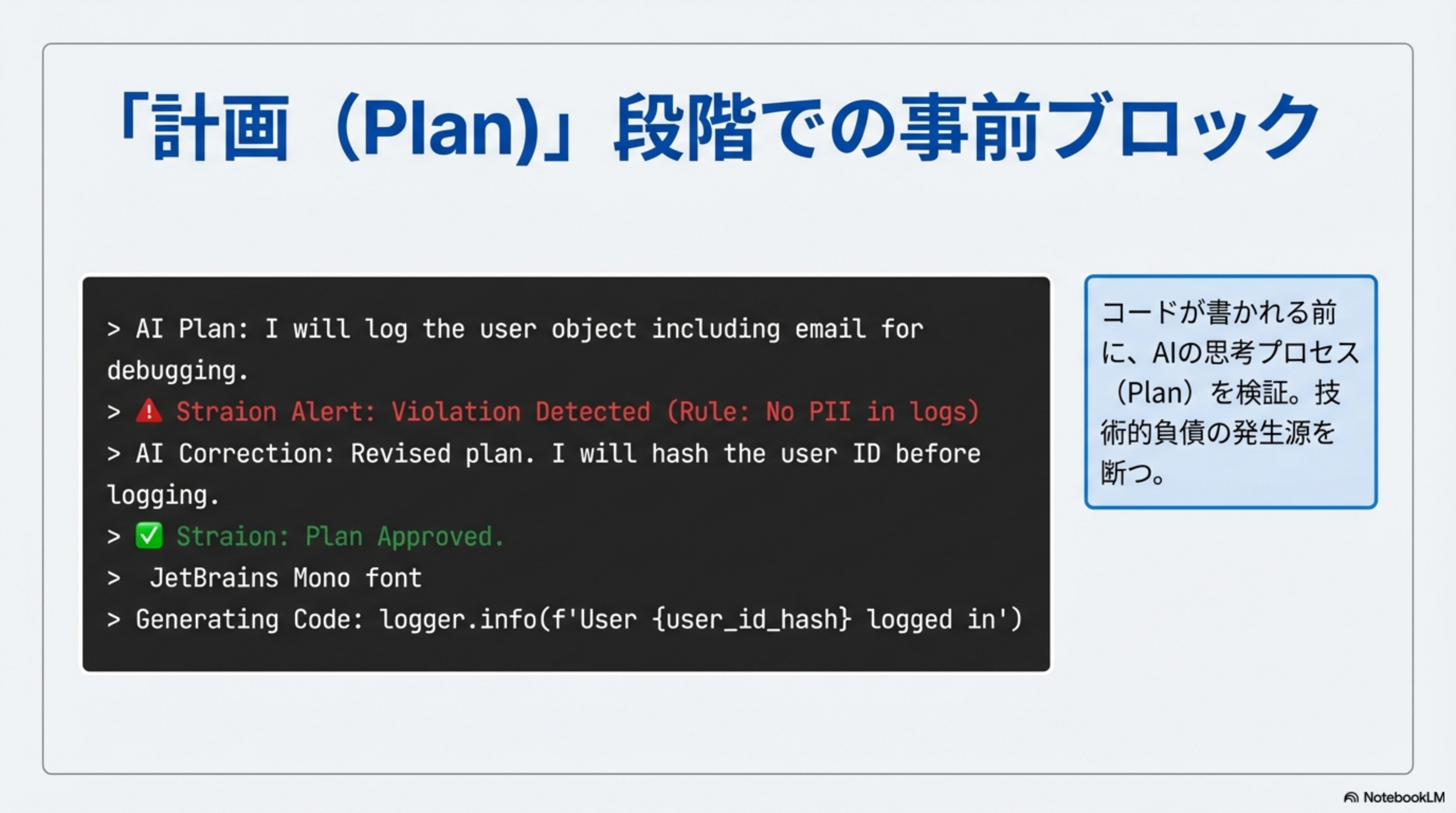
「計画(Plan)」段階での事前ブロック
コードが書かれる前に、AIの思考プロセス(Plan)を検証。技術的負債の発生源を断つ。APIキーのハードコード、PII(個人情報)のログ出力など、ルール違反を即座に検知・ブロックします。
> ⚠ Straion Alert: Violation Detected (Rule: No PII in logs)
> AI Correction: Revised plan. I will hash the user ID before logging.
> ✅ Straion: Plan Approved.
> Generating Code: logger.info(f'User {user_id_hash} logged in')
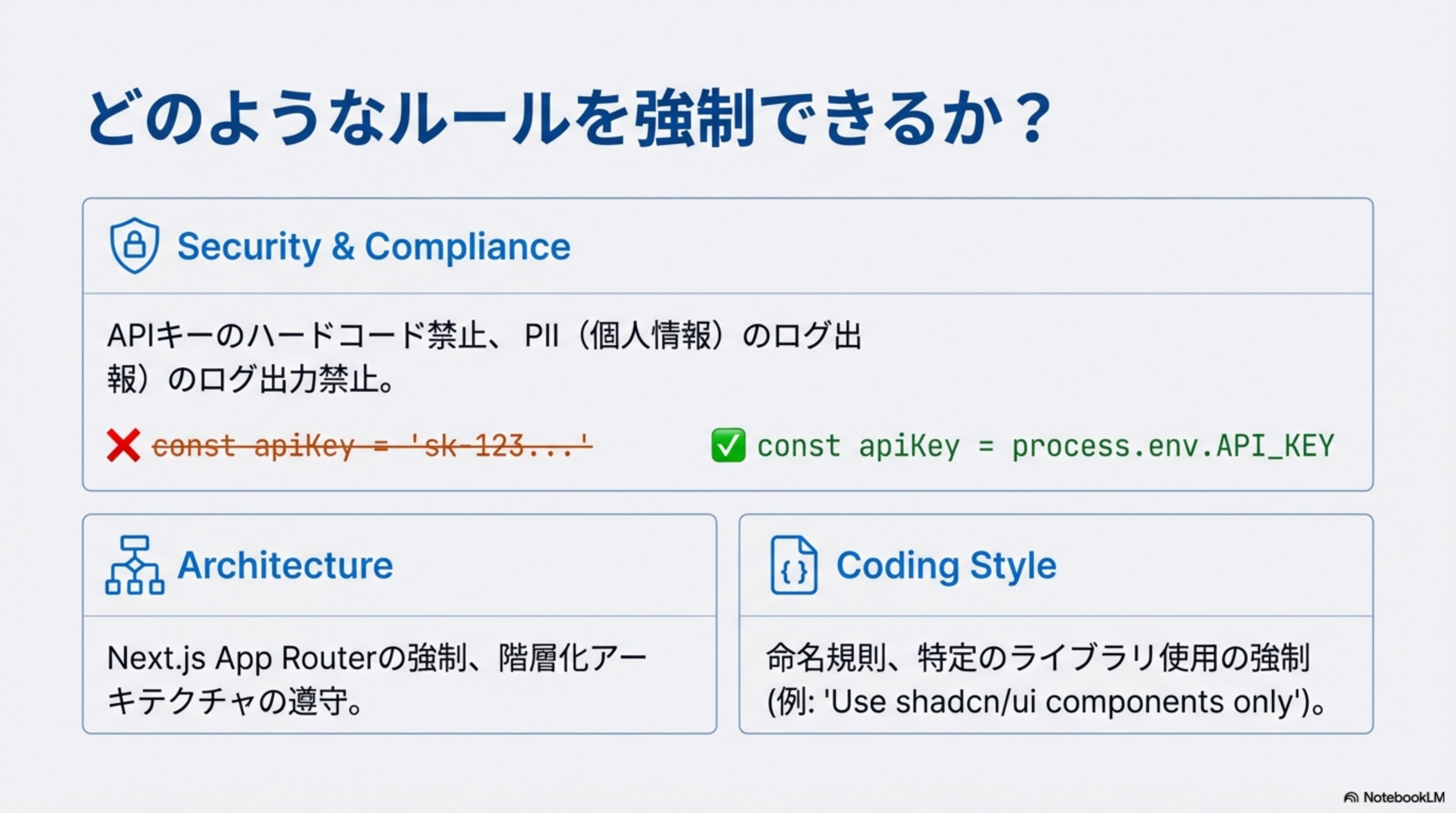
どのようなルールを強制できるか?
🔒 Security & Compliance
APIキーのハードコード禁止、PII(個人情報)のログ出力禁止。
🏗 Architecture
Next.js App Routerの強制、階層化アーキテクチャの遵守。
📝 Coding Style
命名規則、特定のライブラリ使用の強制。
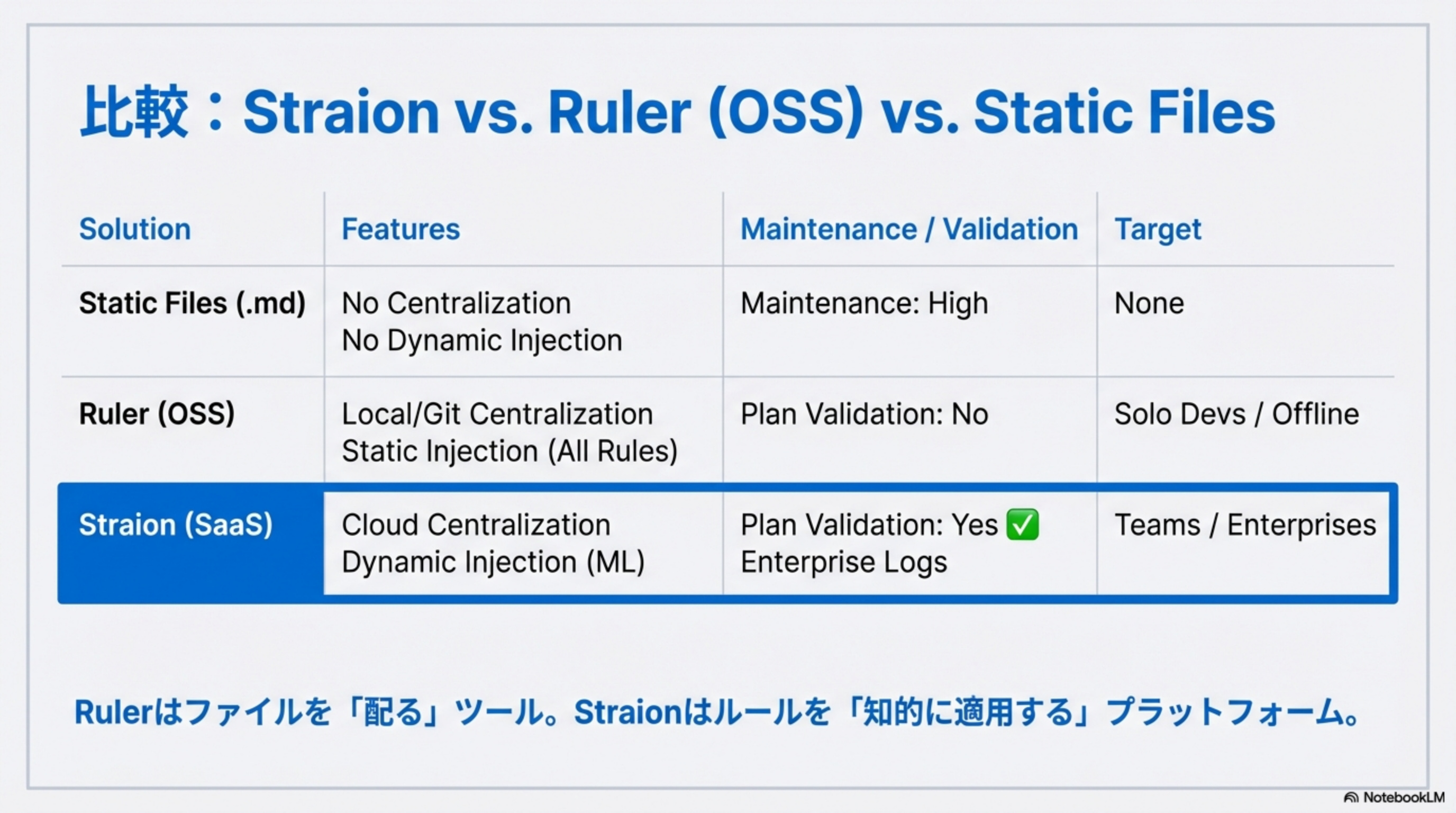
比較:Straion vs. Ruler (OSS) vs. Static Files
| Solution | Features | Maintenance / Validation | Target |
|---|---|---|---|
| Static Files (.md) | No Centralization No Dynamic Injection |
Maintenance: High | None |
| Ruler (OSS) | Local/Git Centralization Static Injection (All Rules) |
Plan Validation: No | Solo Devs / Offline |
| Straion (SaaS) | Cloud Centralization Dynamic Injection (ML) |
Plan Validation: Yes ✅ Enterprise Logs |
Teams / Enterprises |
Rulerはファイルを「配る」ツール。Straionはルールを「知的に適用する」プラットフォーム。
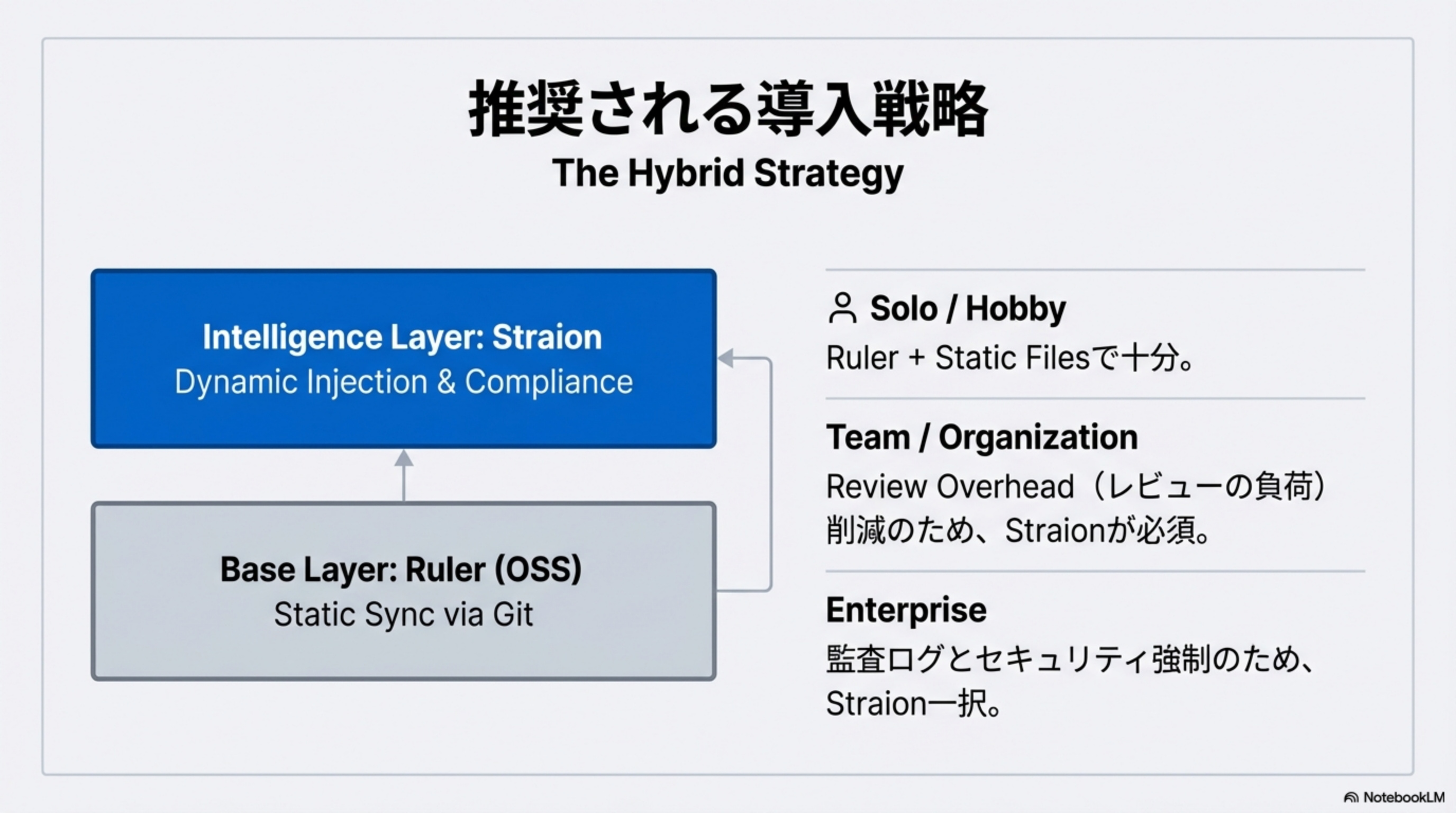
推奨される導入戦略:The Hybrid Strategy
Intelligence Layer: Straion
Dynamic Injection & Compliance
Base Layer: Ruler (OSS)
Static Sync via Git
👤 Solo / Hobby
Ruler + Static Filesで十分。無料でオフライン運用可能
👥 Team / Organization
Review Overhead(レビューの負荷)削減のため、Straionが必須
🏢 Enterprise
監査ログとセキュリティ強制のため、Straion一択
市場の評価と実績
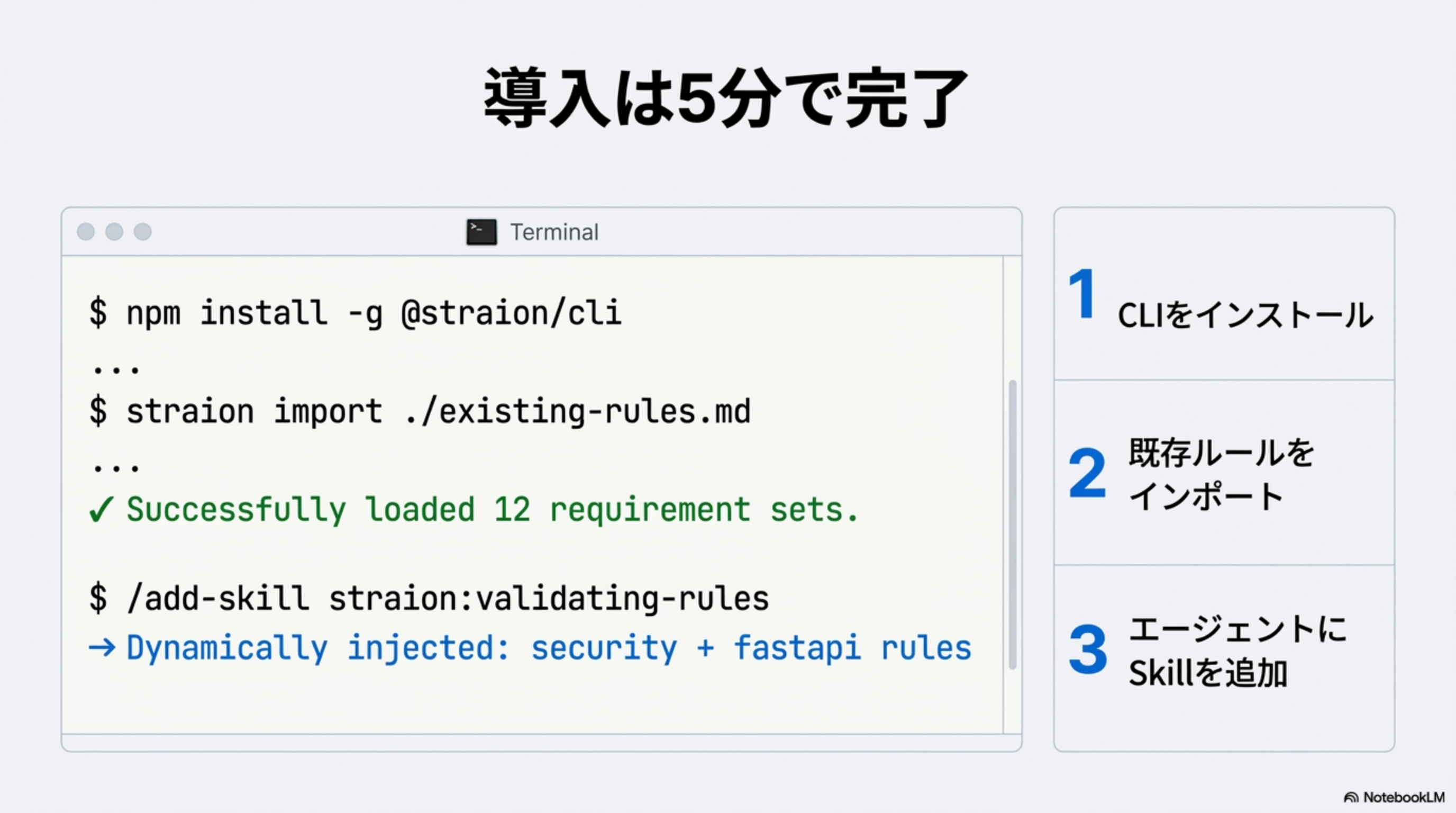
導入は5分で完了
$ npm install -g @straion/cli
...
# Step 2: Import existing rules
$ straion import ./existing-rules.md
✔ Successfully loaded 12 requirement sets.
# Step 3: Add Skill to agent
$ /add-skill straion:validating-rules
→ Dynamically injected: security + fastapi rules
CLIをインストール
npm install -g @straion/cli
既存ルールをインポート
.cursorrules等から自動取り込み
エージェントにSkillを追加
動的注入が即座に開始
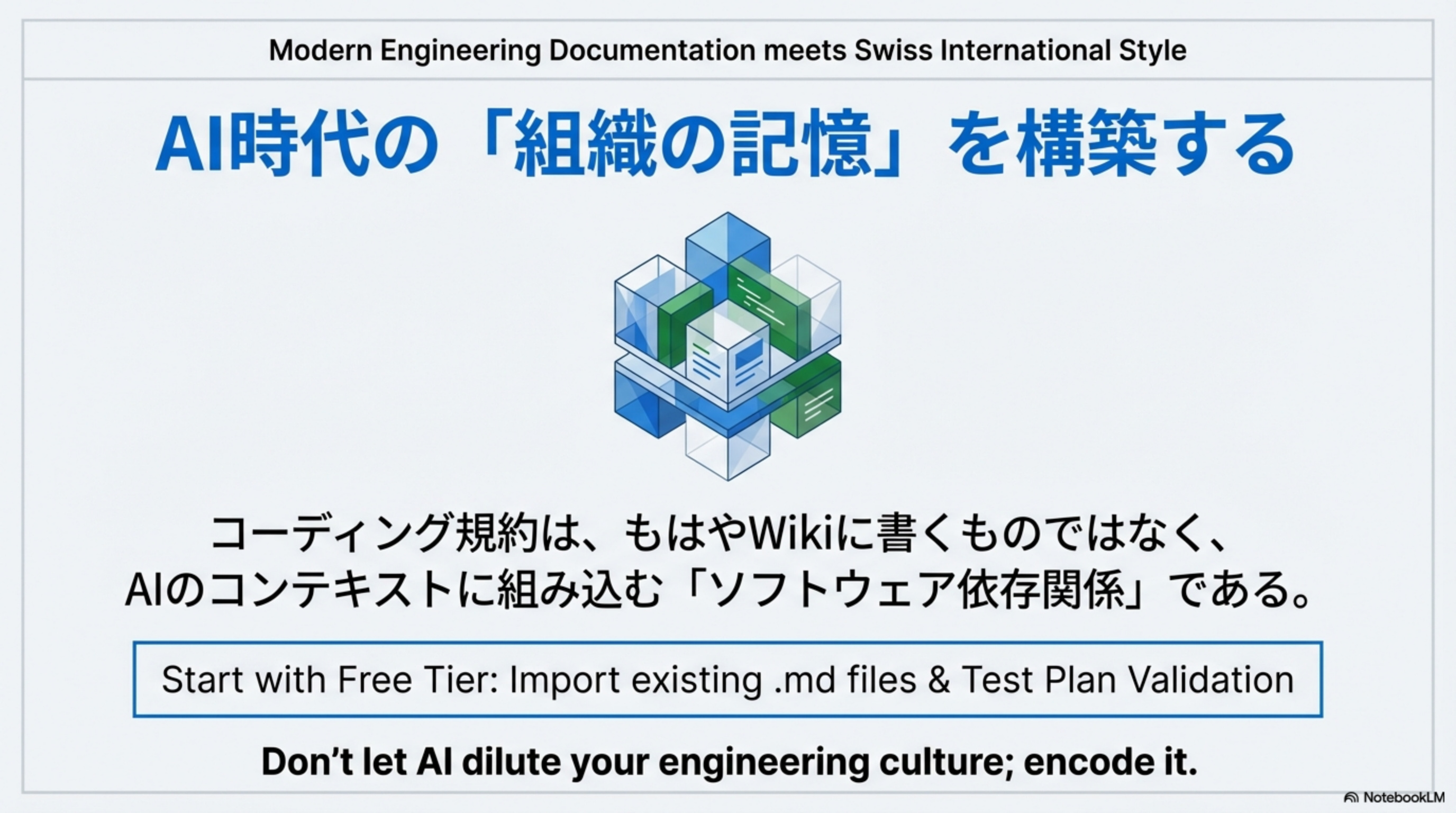
AI時代の「組織の記憶」を構築する
コーディング規約は、もはやWikiに書くものではなく、AIのコンテキストに組み込む「ソフトウェア依存関係」である。
"Don't let AI dilute your engineering culture; encode it."